HomeBest Smart Speakers Australia 2026
Updated 2026-04-22

Best Smart Speakers in Australia

From $79 budget picks to the $339 Echo Studio β€” April 2026

Smart speakers are the heart of any smart home β€” they control your lights, play music, answer questions, and tie your entire ecosystem together. We've tested every major smart speaker available on Amazon Australia to rank them from best to most affordable.

Whether you want the best Alexa-powered audio, a compact bedside companion, or just the cheapest way to add Alexa to every room, our ranked list has you covered. Below the rankings you'll find our in-depth ecosystem comparison (Alexa vs Google vs Apple), a room-size buying guide, and answers to the most common questions about building a whole-home smart speaker system in Australia.

#1
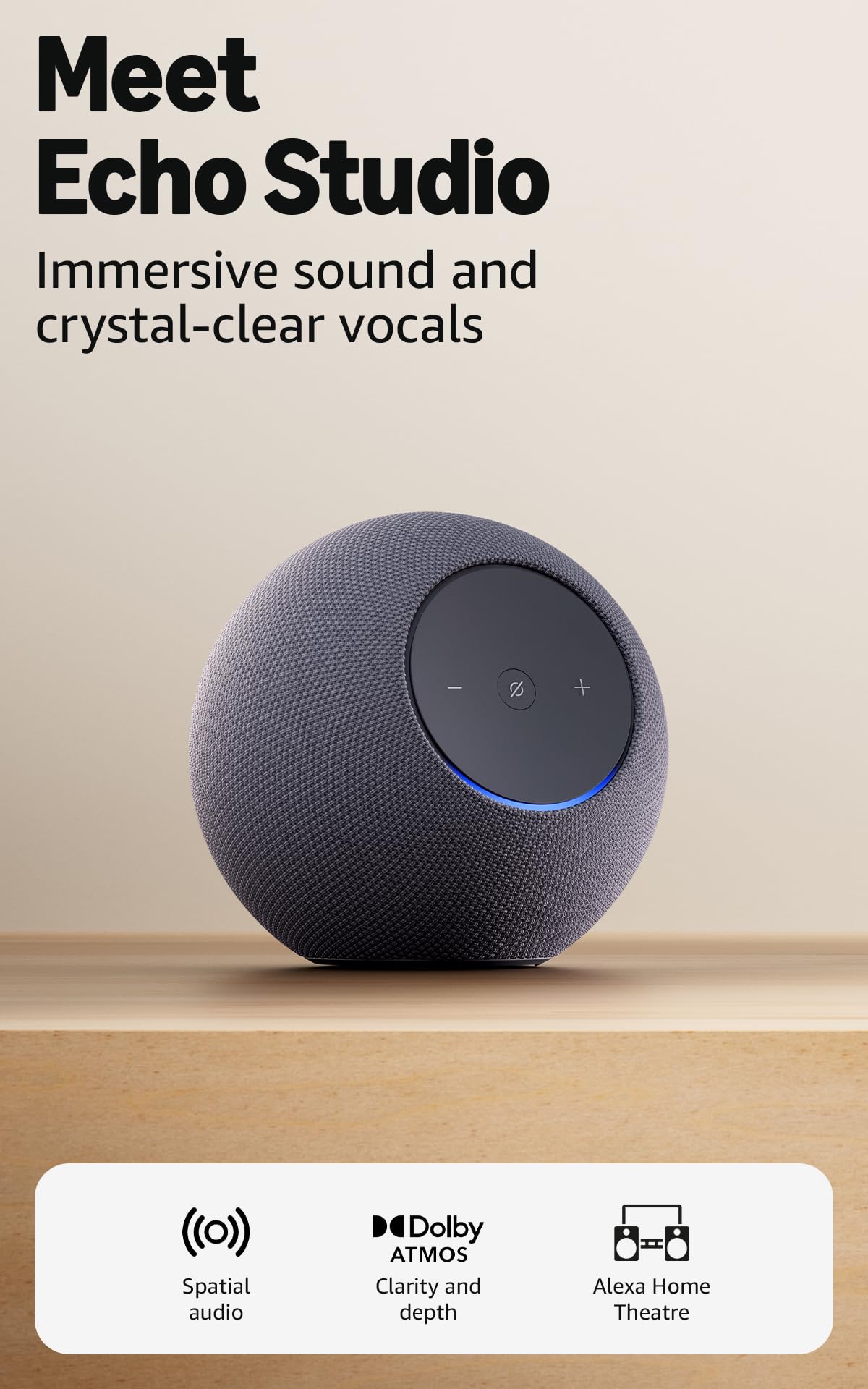
Amazon Echo Studio (2nd Gen)
πŸ† Best All-Rounder
4.4(2156)
Amazon Echo Studio (2nd Gen)

The Echo Studio delivers impressive 3D audio with Dolby Atmos. Automatic room calibration means it sounds great wherever you place it. Add in the **built-in Zigbee hub and Thread radio** (control smart lights, sensors, and Matter devices without extra hardware) plus full Alexa integration, and it's the best overall smart speaker for most Australian homes.

Weight
3.5 kg
Drivers
1Γ— 5.25" woofer, 3Γ— 2" midrange, 1Γ— 1" tweeter
Dimensions
206 Γ— 175 mm
Peak Power
330W
Connectivity
Wi-Fi 6E, Bluetooth 5.3, 3.5mm line-in
Audio Formats
Dolby Atmos, Sony 360 Reality Audio
Dolby Atmos and 360 Audio at an incredible price
Powerful 330W output with deep bass
Built-in Zigbee smart home hub
Can be bass-heavy for some tastes
Design is functional, not premium
#2
Amazon Echo Dot (5th Gen)
⭐ Best Value
4.6(1355)
Amazon Echo Dot (5th Gen)

The Echo Dot punches well above its $99 price. The 5th gen added a temperature sensor and an eero mesh Wi-Fi extender (free bonus for households with dead spots), improved bass over the 4th gen, and kept the compact globe form factor. Full Alexa capabilities, solid sound for a speaker this size, and it's the speaker most Australians should buy first before expanding.

Weight
340g
Drivers
1Γ— 44mm front-firing speaker
Sensors
Motion sensor, temperature sensor
Dimensions
100 Γ— 100 Γ— 89 mm
Smart Home
Matter, Zigbee (with Echo hub), eero extender
Connectivity
Wi-Fi (2.4/5 GHz), Bluetooth 5.3
Unbeatable value β€” often under $50 on sale
Built-in temperature and motion sensors
eero Wi-Fi extension adds dual functionality
Limited bass and volume for larger rooms
Alexa is the only voice assistant
#3
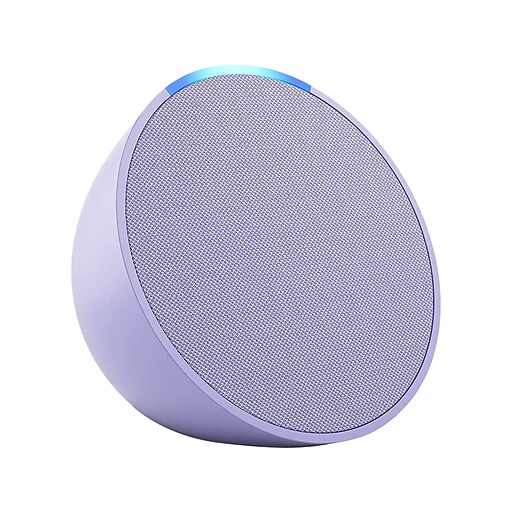
Amazon Echo Pop
πŸ’° Most Affordable
4.5(4246)
Amazon Echo Pop

At just $79, the Echo Pop is the cheapest way to add Alexa to a room. The semicircle shape means it's designed to sit against a wall with sound projected forward β€” ideal for bedrooms and bathrooms. Sound quality is surprisingly decent for its size, though bass is limited. Buy several to put one in every room β€” four Pops is still cheaper than a single premium speaker.

Speaker
Front-firing 49mm
Warranty
1 year
Streaming
Spotify, Apple Music, Amazon Music
Dimensions
99 x 83 x 91mm
Smart Home
Zigbee compatible
Audio Output
3.5mm jack
Incredibly affordable at $79
Compact design fits anywhere
Full Alexa smart home control
Bass is limited due to small size
No smart home hub built-in (unlike Echo)
#4
Amazon Echo Spot (2024)
πŸŒ™ Best Bedside
4.4(659)
Amazon Echo Spot (2024)

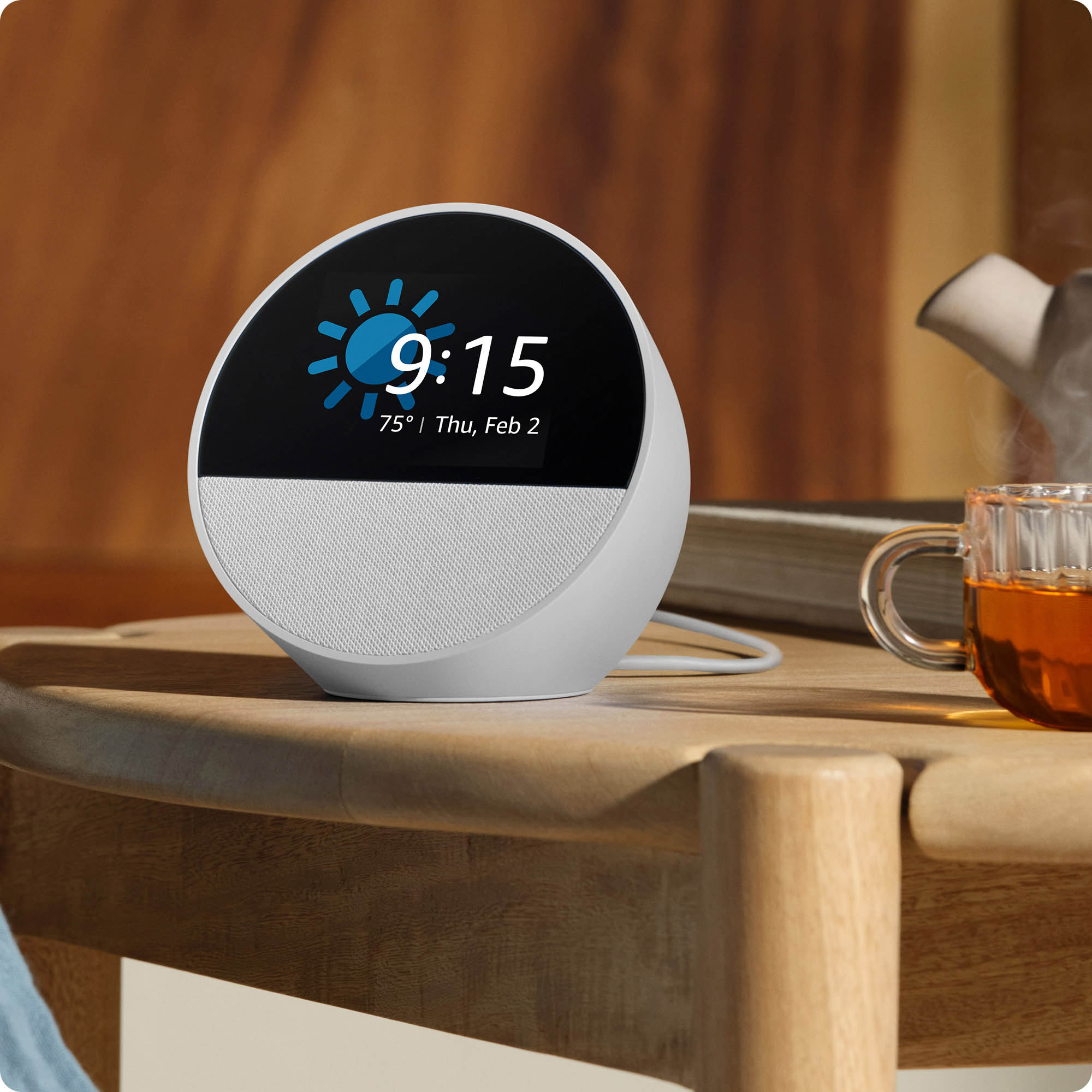
The revived Echo Spot (2024) is the perfect bedside companion β€” smart alarm clock, weather display, and room-filling audio in one compact package. The 2.83" colour screen makes it more useful than a standard speaker on a nightstand: glanceable time, tomorrow's weather, who's calling, and sunrise alarm visuals. The speaker quality is noticeably better than the old 2017 model it replaced.

Colours
Ocean Blue, Black, Glacier White
Display
2.83" round touchscreen
Speaker
Directional 44mm
Warranty
1 year
Streaming
Spotify, Apple Music, Amazon Music
Smart Home
Compatible hub
Perfect bedside smart clock
Customisable clock face display
Better audio than Echo Dot
Screen is small for video content
No camera (no video calls)

Buying Tips for Australians

Choose your ecosystem first

For the widest smart home compatibility in Australia, Alexa (Echo) speakers support more devices than Google or Apple. If you're already deep in the Apple or Google ecosystem, factor that in β€” but for most Australian households starting fresh, Alexa is the right call.

Match speaker to room size

Echo Pop suits bedrooms, offices, and bathrooms (up to 15mΒ²). Echo Dot handles medium rooms (15-25mΒ²). Echo Studio can fill large open-plan living areas (25mΒ²+). Stereo-pairing two mid-range speakers often beats one premium speaker for wide rooms.

Plan for multi-room audio

Echo speakers support multi-room grouping. Buying 3-4 cheaper speakers (e.g., Echo Dots) across your home often delivers a better whole-home experience than one expensive single-room speaker. Mix the Echo Studio in your living area with budget Echo Dots in secondary rooms.

Consider built-in smart hubs

The Echo Studio has Zigbee built in β€” no separate hub needed for Philips Hue or compatible sensors. Newer Echoes also have Thread radios for Matter devices. Buying a hub-capable speaker means one less box on your shelf.

Don't forget Wi-Fi coverage

Smart speakers need reliable Wi-Fi in every room you use them. If you have dead spots, invest in a mesh system (TP-Link Deco, Google Nest Wifi, eero) before expanding your speaker network. Nothing kills a smart home faster than "Alexa, I can't connect right now."

Voice assistant differences matter

Alexa is best for device compatibility. Google Assistant is best for natural language and voice accuracy. Siri/HomeKit is best for privacy and Apple households. Read our full Alexa vs Google vs Apple comparison before committing.

In-Depth Guide

Which Ecosystem? Alexa vs Google Home vs Apple HomeKit

Your smart speaker choice locks you into an ecosystem. Here's a quick comparison of the three big platforms in Australia in 2026:

Amazon Alexa is the clear winner for most Australians. It has the widest device compatibility (nearly every smart home brand sold in Australia works with Alexa), the cheapest entry point at $79 for the Echo Pop, and the richest range of speaker options from budget to premium. Amazon Music Unlimited and support for Spotify, Tidal, and Apple Music mean you're never locked to one streaming service.

Google Home is the best choice if voice recognition is your priority. Google Assistant is the smartest of the three assistants, handling natural language and follow-up questions better than competitors. It's ideal for Android households and Google Workspace users. The downside is that Google's speaker line-up hasn't been refreshed recently, and direct availability on Amazon AU has been patchy.

Apple HomeKit (HomePod, HomePod mini) is the right choice if your household is all iPhone/Mac and you value privacy. Voice processing happens on-device where possible, and Apple Music streams lossless audio natively. The trade-off is cost and limited Australian availability β€” Apple's HomePod range is sold through the Apple Store rather than Amazon AU, which is why you won't see them in our Amazon-stocked rankings above.

For a detailed head-to-head on all ten comparison factors, see our full Alexa vs Google Home vs Apple HomePod comparison.

Smart Speaker Size Guide β€” Matching Speakers to Rooms

Buying the wrong speaker for the room is the most common mistake we see. Too small and it can't fill the space; too large and you're wasting money on audio you'll never hear properly.

Small rooms (under 15mΒ²) β€” Echo Pop ($79): Bedrooms, home offices, kids' rooms, bathrooms, and walk-in wardrobes. The Pop's forward-firing design works best against a wall. Don't buy an Echo Studio for a bathroom β€” the sound will reflect off tiles and become muddy.

Medium rooms (15-25mΒ²) β€” Echo Dot ($99) or Echo Spot ($149): Master bedrooms, kitchens, home gyms, larger offices. The Echo Dot's improved 5th-gen driver handles these rooms well, especially for podcasts and background music. The Echo Spot adds a screen for bedside use.

Large rooms (25-40mΒ²) β€” Echo Studio ($339): Open-plan living rooms, dining areas, larger bedrooms. The Studio's Atmos drivers create height and width illusions. Stereo-pair two for wide rooms.

Very large rooms / open-plan (40mΒ²+): Pair two Echo Studios as a stereo set. A single speaker, even a premium one, will struggle to cover a 50mΒ² open-plan area evenly. Don't try to save money here β€” you'll regret it.

Multi-room audio tip: Instead of one expensive speaker trying to cover multiple rooms, buy 2-3 cheaper speakers and group them. An Echo Dot in the kitchen plus an Echo Dot in the dining area sounds better than one Echo Studio trying to cover both.

Building a Multi-Room Speaker System

A true "smart home speaker system" is more than one speaker. Here's how to build one step-by-step in Australia:

Step 1: Start with your main living area. Place your best speaker where you spend the most time. For most Australians, that's the living room or open-plan kitchen/dining. We recommend the Echo Studio ($339) as the best balance of price and sound quality.

Step 2: Add bedroom speakers. Every bedroom benefits from a smart speaker β€” voice-controlled alarms, sunrise routines, and background music. The Echo Dot ($99) is perfect for master bedrooms; the Echo Pop ($79) works well for kids' rooms. The Echo Spot ($149) wins for bedside tables thanks to the screen.

Step 3: Cover the kitchen. Kitchens are the second most-used room for smart speakers in Australia. Voice-controlled timers, recipe lookups, and music while cooking are killer use cases. An Echo Dot or Echo Show 8 (if you want a screen for recipe videos) are the top picks.

Step 4: Create speaker groups. In the Alexa app, go to Devices β†’ Combine speakers β†’ Multi-room music. Create groups like "Everywhere", "Downstairs", "Bedrooms". You can then say "Alexa, play ABC Radio National everywhere" and every speaker synchronises.

Step 5: Tie in the smart home. Your speakers become voice-controllers for everything. "Alexa, lock the front door." "Alexa, show me the backyard camera." "Alexa, start the robot vacuum." This is where the system really pays off.

Typical Australian home setups:

  • 3-speaker starter ($277): Echo Pop + 2Γ— Echo Dots β€” covers living, bedroom, kitchen
  • 5-speaker mid-range ($735): Echo Studio + 3Γ— Echo Dots + 1Γ— Echo Pop β€” premium main + 4 secondary rooms
  • Premium Alexa system ($1,000+): 2Γ— Echo Studios (stereo pair, living) + 3Γ— Echo Dots β€” best Alexa-only setup

Sound Quality Explained β€” Drivers, Atmos, and Room EQ

Smart speaker audio specs can be confusing. Here's what actually affects sound quality:

Number of drivers. A "driver" is a single speaker cone inside the unit. More drivers = more control over the sound. Entry-level speakers like the Echo Pop have a single full-range driver; premium speakers like the Echo Studio combine multiple drivers (mid-range, woofer, and tweeters) angled in different directions.

Driver size and positioning. Larger woofers produce deeper bass. Front-firing drivers project forward; upward-firing drivers (used for Atmos height effects) bounce sound off the ceiling. The Echo Studio has two side-firing mids, one down-firing bass, and an up-firing driver for Atmos.

Dolby Atmos and spatial audio. This is 3D sound β€” instruments appear to come from specific points in space, including above and behind you. Available on Echo Studio. Genuinely impressive for Atmos-mastered music on Apple Music Dolby Atmos, Tidal HiFi Plus, and Amazon Music Ultra HD.

Room calibration / Adaptive EQ. Better speakers use microphones to measure your room's acoustics and adjust their sound. The Echo Studio does this automatically on setup. The difference between calibrated and uncalibrated audio is noticeable β€” music sounds clearer and bass becomes more defined.

Lossless streaming quality. Hi-Fi (16-bit / 44.1kHz) and Ultra HD (24-bit / up to 192kHz) tracks contain more musical detail than standard streams. Only higher-end speakers (Echo Studio) reveal the difference. Amazon Music Ultra HD, Apple Music Lossless, and Tidal Master all support this.

The bottom line: For bedroom and bathroom use, driver count and Atmos don't matter. For living-room listening, they do.

Privacy, Mic Off, and What Happens to Your Voice Data

Smart speakers only stream audio to the cloud after they hear the wake word ("Alexa", "Hey Google", "Hey Siri"). A local speech-recognition chip is constantly listening for this trigger, but nothing is uploaded until it's heard.

Every smart speaker we recommend has a physical microphone mute button. Pressing it disconnects the microphones at the hardware level β€” the speaker cannot hear anything until you press it again. An LED ring turns red to confirm. Use this when privacy matters (e.g., during sensitive conversations).

Data storage and deletion. - Alexa: Open the Alexa app β†’ More β†’ Settings β†’ Alexa Privacy β†’ Review Voice History. You can listen to every recording, delete individual items, or delete everything. You can also set auto-delete (3 months, 18 months, or "don't save recordings"). - Google Home: Go to myaccount.google.com β†’ Data & privacy β†’ Web & App Activity β†’ Auto-delete. Set to 3/18/36 months. - Apple HomePod: By default, Apple doesn't link voice requests to your Apple ID. Recordings used to improve Siri are disabled by default in 2026.

False wake-ups. All smart speakers occasionally wake by mistake (a TV character saying "Alexa", etc.). Review your voice history periodically to spot these and delete them. Australian privacy law (including the Privacy Act 1988 and the Consumer Data Right) gives you the right to request all data Amazon, Google, or Apple hold about you.

If privacy is your top concern, go with Apple HomePod. Apple processes as much speech as possible on-device and uses randomised identifiers. For detailed comparison, see our Alexa vs Google vs Apple HomePod guide.

FAQ β€” Smart Speaker Systems in Australia

Do I need a separate smart hub if I have an Echo Studio?

No β€” for many devices. The Echo Studio has built-in Zigbee support, meaning Philips Hue lights, Aqara sensors, and other Zigbee devices can connect directly. Newer Echoes also have Thread radios for Matter devices. You still need a hub for Z-Wave devices.

Will my smart speaker work during an NBN outage?

Voice commands that rely on the cloud (weather, questions, Alexa Skills) won't work. However, Bluetooth playback from your phone still works, and most locally-paired smart home actions (Zigbee lights directly bonded to the Echo Studio) continue to function.

Can I group speakers from different brands?

Not easily. Alexa only groups Echo speakers; Google Home only groups Nest/Chromecast; AirPlay 2 only groups Apple and AirPlay 2 compatible devices. For a single, simple setup, stick to one brand.

How much Wi-Fi speed do I need?

Each smart speaker uses 1-3 Mbps when streaming music. Even an entry-level 50/20 Mbps NBN plan can handle 10+ speakers simultaneously. Focus on Wi-Fi coverage (use a mesh system if needed), not raw NBN speed.

Should I buy an Echo Show instead of an Echo Studio?

For music-focused listening, the Echo Studio has far better sound. The Echo Show adds a screen for video calls, recipe videos, security camera viewing, and photo frame use. Both can control the same smart home devices. We recommend one Echo Show in the kitchen + Echo Studios/Dots elsewhere.

What happens if Amazon discontinues Alexa?

Unlikely in the foreseeable future, but Amazon has committed to the Matter standard β€” meaning Matter-compatible speakers will continue to work with local smart home control even if the cloud service ended. This is a big reason to prefer Matter-compatible devices going forward.

Related Guides

Can’t Decide?

Use our comparison tool to see products side-by-side with full specs.

Compare Products